 |
|

A toolbar consists of descriptive properties of the toolbar and one or more toolbar entries.
Toolbars are used in two situations:
- as part of the window menu in a so-called Coolbar (movable menu and toolbar tapes)
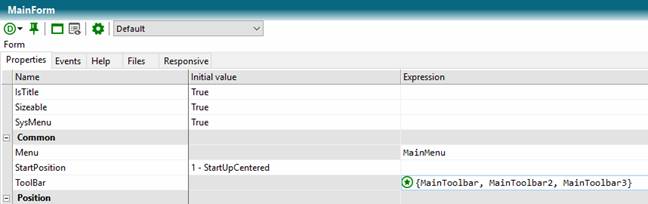
Several toolbars for a stand-alone window
- as a standalone toolbar (display via the control TCEToolbars.Toolbar)
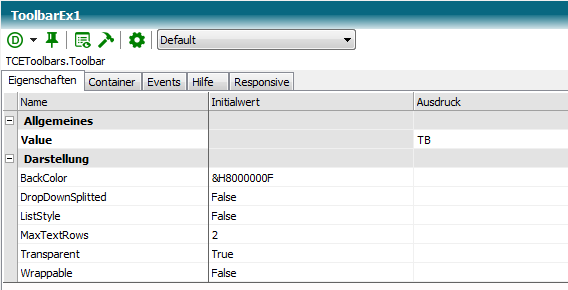
Connecting a toolbar to the toolbar control
A toolbar is given a name when created that can be used in the program code. The name of the toolbar must be unique in the class.
Toolbar Properties
|
Property |
Description |
|
Caption |
Preceding text of a toolbar. |
|
Chevron |
Applies only to toolbars in Coolbars. If the toolbar is truncated, True can be used to determine if the invisible toolbar entries are displayed separately in a pop-up list. |
|
Enabled |
Determines if the entire toolbar is enabled |
|
Font |
Character set of the text |
|
ImageHeight |
Height in pixels of toolbar images. |
|
Visible |
Determines if the toolbar is visible. |
 Contents
 Index
Index Previous
 Next
Next