 |
|

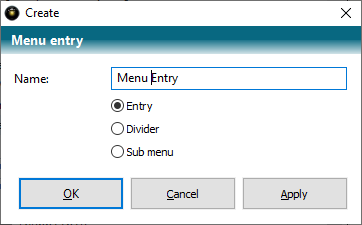
There are three types for a menu entry:
a) Menu sub-item (entry)
b) Separation line (separator)
c) Reference to a further menu to be displayed at this point (sub-menu)
When you create the menu entry, you decide on the type.
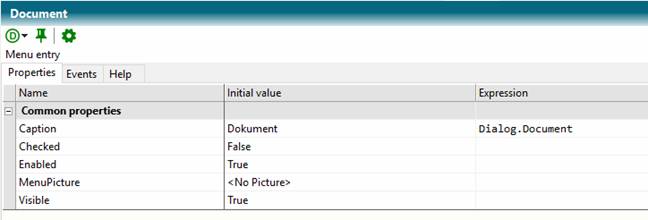
You can set a dynamic expression for each property in the Expression column.
Properties entries
|
Property |
Description |
|
Caption |
Text of the menu entry. |
|
Checked |
The menu item is checked. |
|
Enabled |
The menu entry is displayed activated. |
|
MenuPicture |
Image of the menu entry. |
|
Visible |
Visibility of the menu entry. |
Properties Separator
|
Property |
Description |
|
Visible |
The separator is visible |
Properties SubMenu
|
Property |
Description |
|
Object |
Reference to a TCE object that manages the menu to display at this point. |
|
Menu |
Name of the menu (string) in Object |
 Contents
 Index
Index Previous
 Next
Next